Frontier models have improved significantly on 3D modeling benchmarks over the past six months, including BenchCAD 1.0. But most existing benchmarks still focus on individual CAD parts, often reconstructed from a few clean renders or a text description.
Real engineering work rarely comes that way. Engineers work from dimensioned engineering drawings, assemble machines from dozens of parts, and reverse-engineer existing hardware. These tasks require both 3D modeling and spatial reasoning: reading engineering drawings, reconstructing accurate geometry, and understanding how parts fit together in 3D space. Even if every part is modeled correctly, the assembly can still be wrong.
BenchCAD 2.0 extends our original part-level benchmark to these more complex tasks. Models build CAD parts from engineering drawings, assemble machines using supplied or newly modeled components, and recover circuit wiring from renders of assembled boards. We evaluate each task separately against references, without an LLM judge, to understand where models do well and where they lose points. Core, the 100 cases behind our scores, is held out and shared only under an evaluation-only agreement, to limit contamination.
Six tasks
| Work | Task | Input | Output |
|---|---|---|---|
| Drawing to CAD | Part | A dimensioned part drawing | A CAD part |
| Assembly, parts supplied | Every part as a 3D file, plus the assembly drawing | An assembly | |
| Parts and assembly | The assembly drawing, drawings of the parts to make, 3D files of the others | Parts and an assembly | |
| Reverse engineering | Part | Four rendered views | A CAD part |
| Assembly | Views of the assembly and of each part | Parts and an assembly | |
| ECAD | Six renders of an assembled board | A wiring graph |
Examples for each task, replaying a generated answer step by step next to the reference:
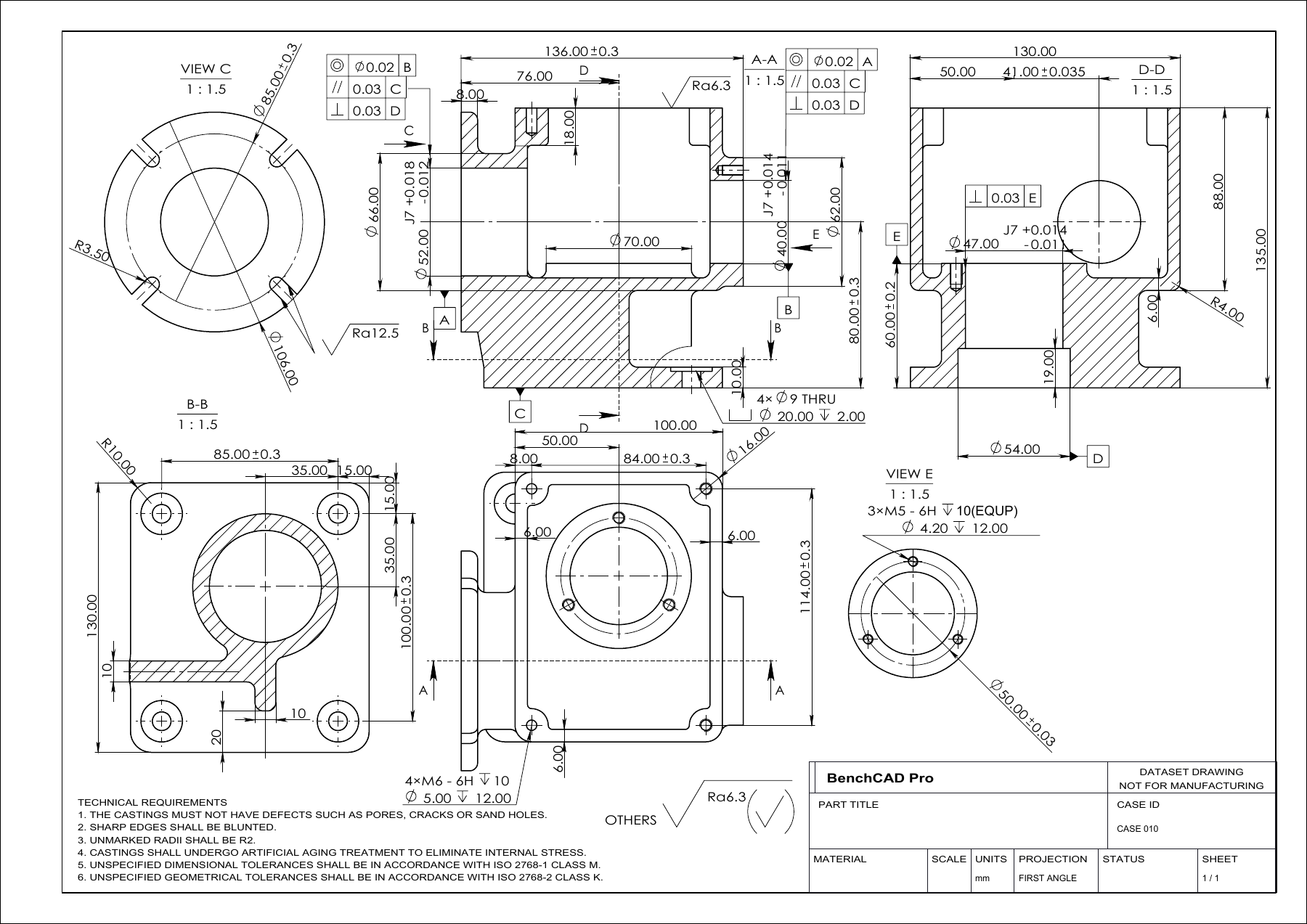
Input: the drawing only.
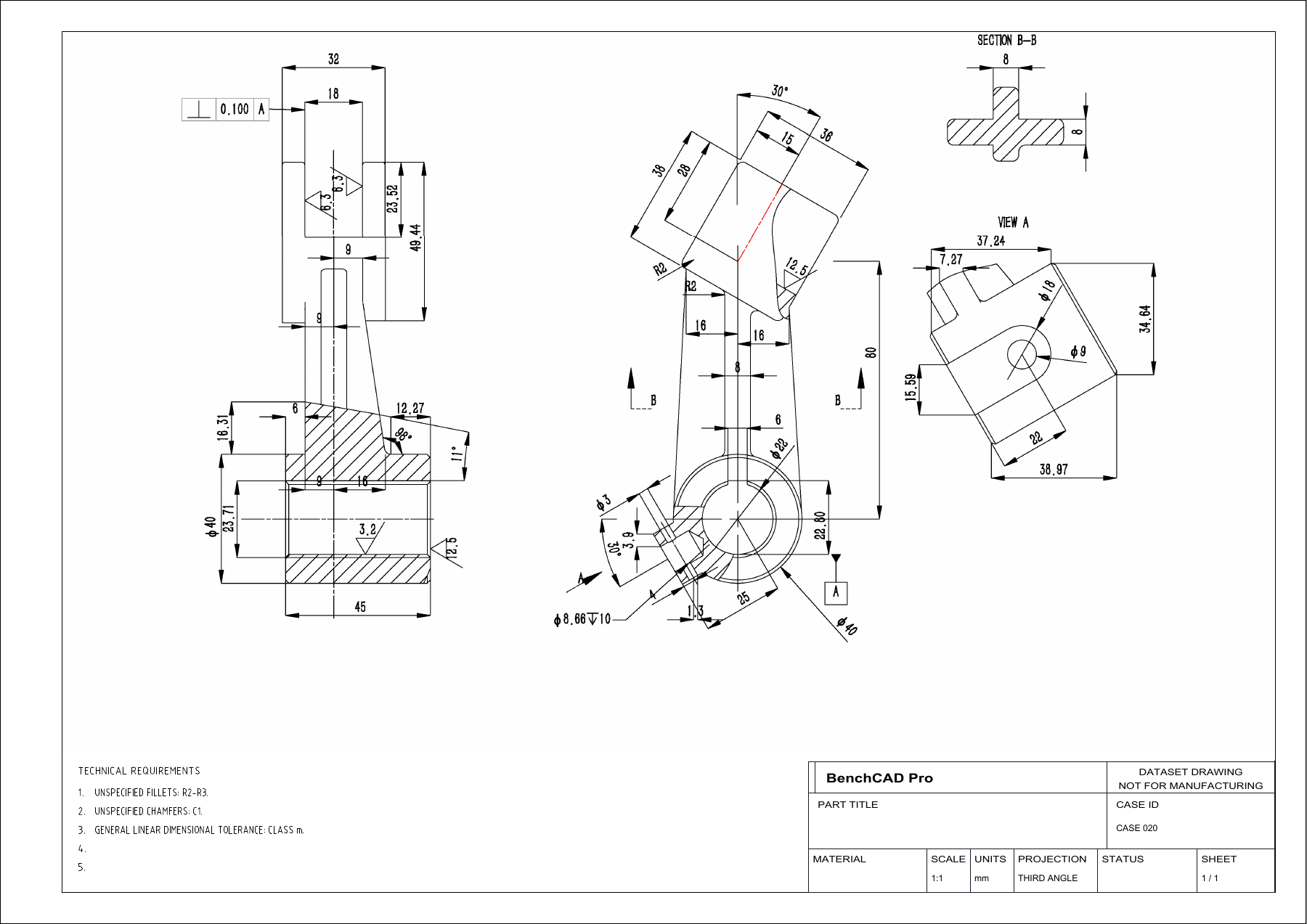
Input: the drawing only.
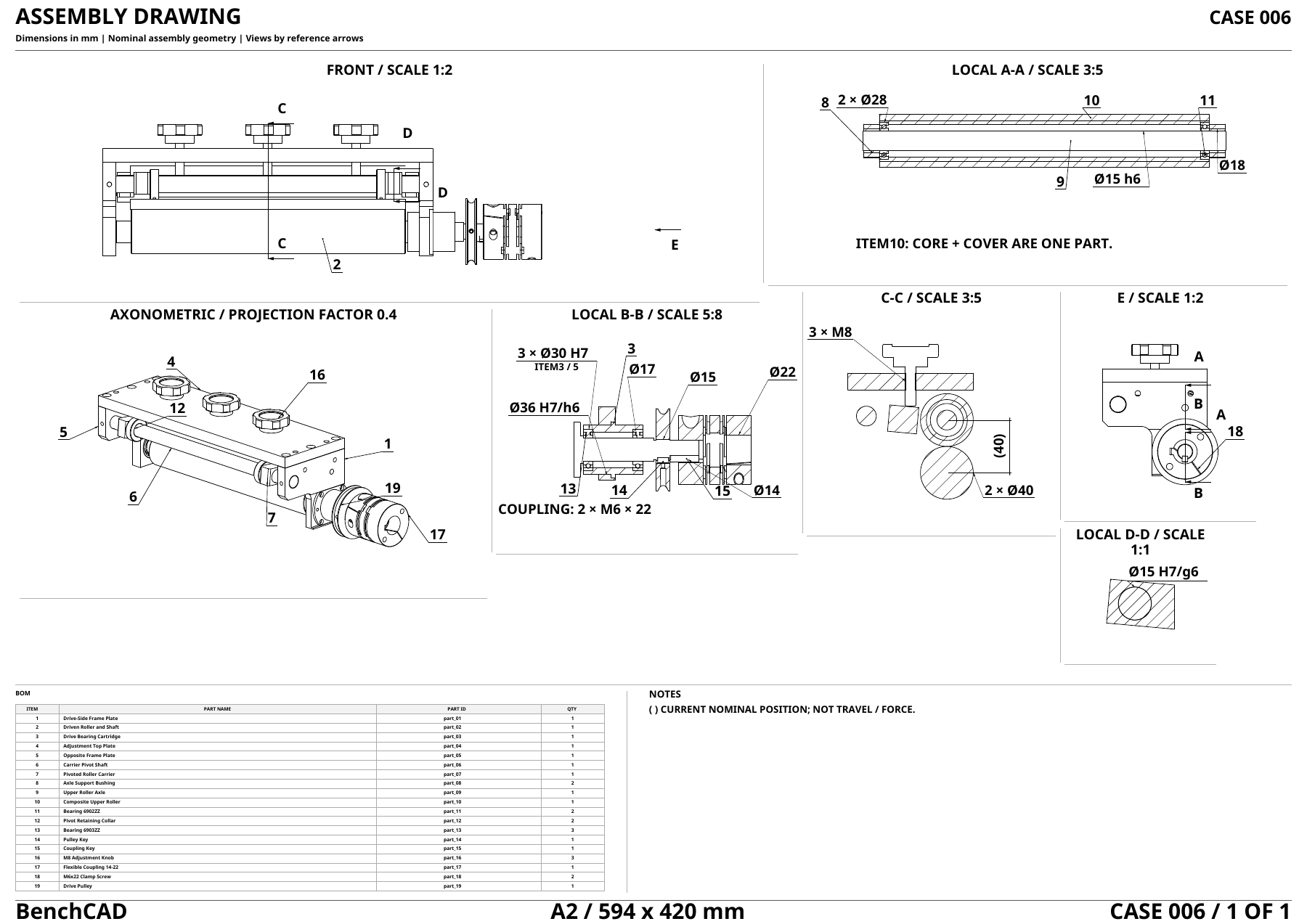
Input: the assembly drawing, every part as a 3D file (STEP) and a parts list.
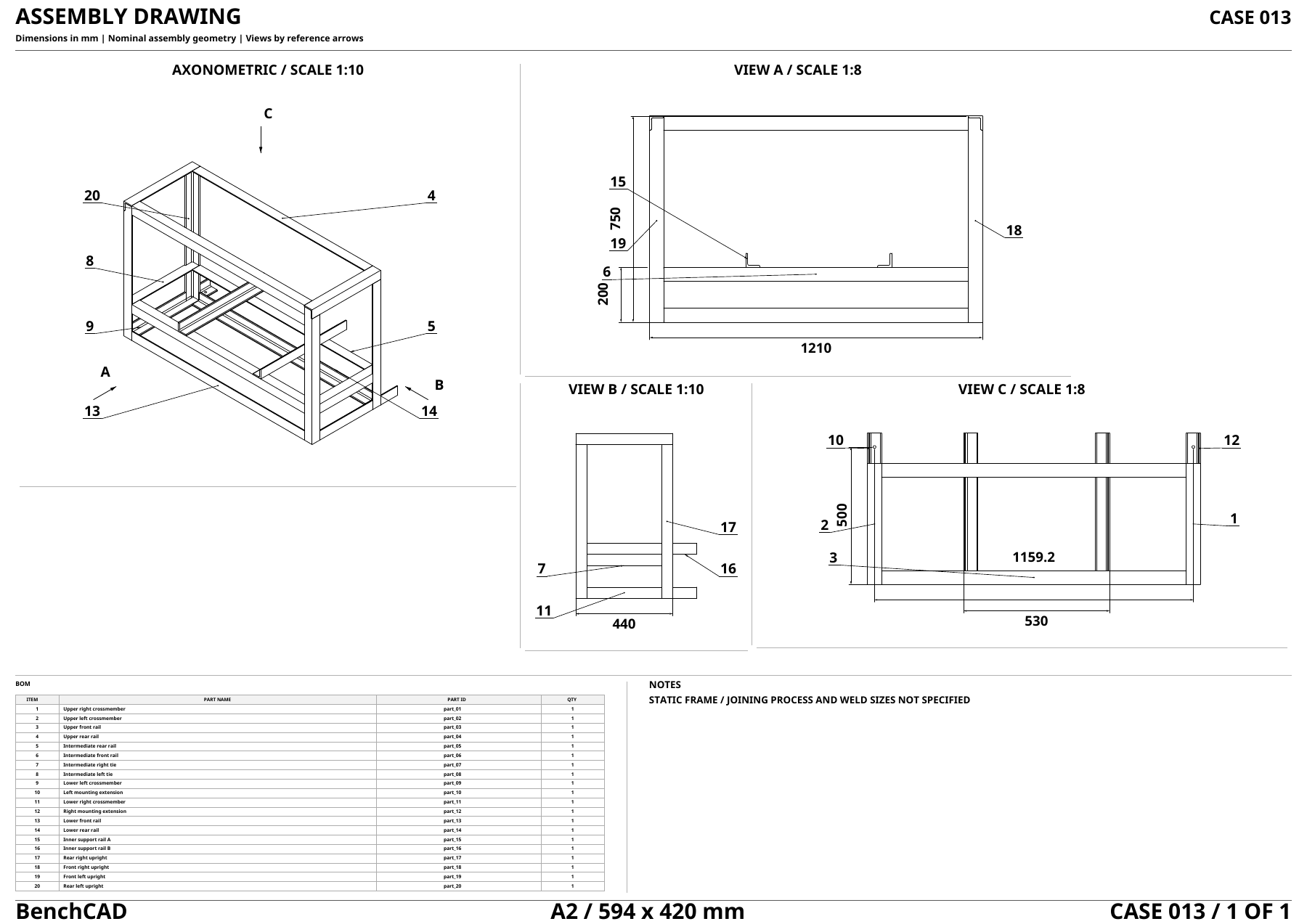
Input: the assembly drawing, every part as a 3D file (STEP) and a parts list.
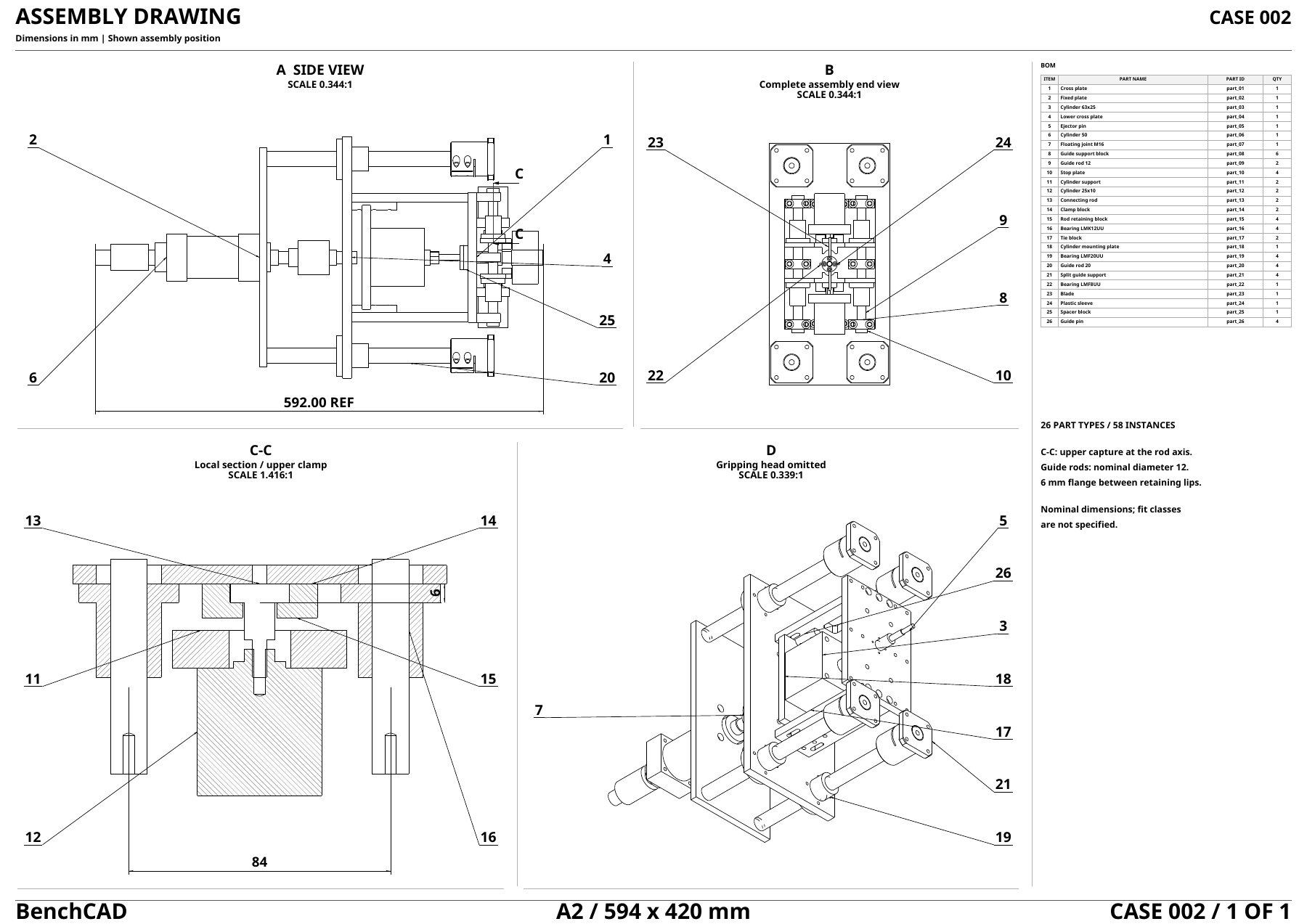
Input: the assembly drawing, drawings of the five parts to make, the others as 3D files (STEP) and a parts list.
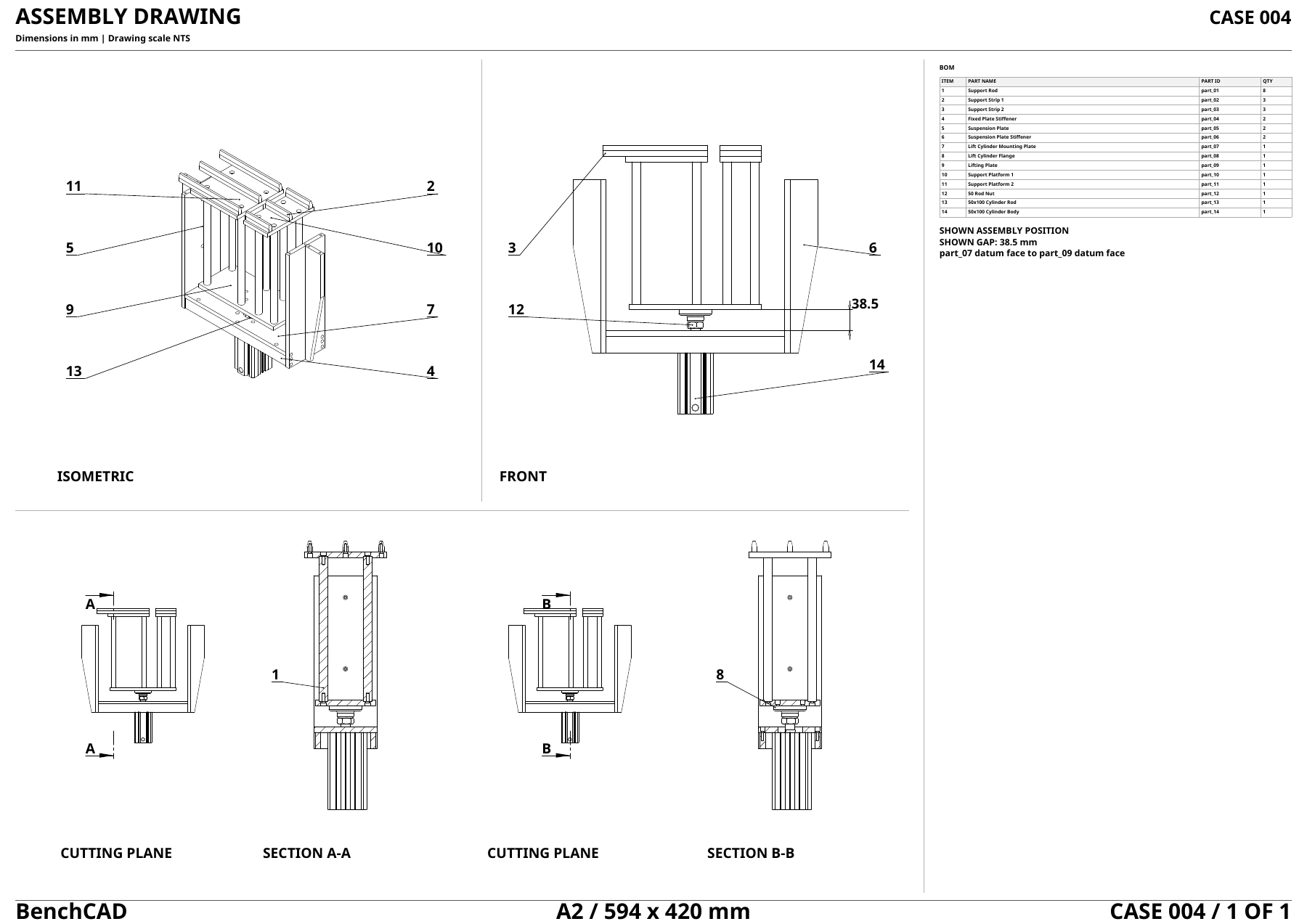
Input: the assembly drawing, drawings of the five parts to make, the others as 3D files (STEP) and a parts list.
Input: four rendered views of the part at one scale. One camera direction is given exactly; the other three are given only roughly, each off by 3–8°.
Input: four rendered views of the part at one scale. One camera direction is given exactly; the other three are given only roughly, each off by 3–8°.
Input: four rendered views of the assembly, four views of each part alone and inside the assembly, and a parts list. No 3D files.
Input: four rendered views of the assembly, four views of each part alone and inside the assembly, and a parts list. No 3D files.
Input: four rendered views of the assembly, four views of each part alone and inside the assembly, and a parts list. No 3D files.
Input: six renders of the board, the top, the bottom and two oblique views of each side, plus a drawing of each inner copper layer if the board has any.
Input: six renders of the board, the top, the bottom and two oblique views of each side, plus a drawing of each inner copper layer if the board has any.
Input: six renders of the board, the top, the bottom and two oblique views of each side, plus a drawing of each inner copper layer if the board has any.
Results
We ran five frontier models on Core at every reasoning-effort setting, each with up to 30 rounds per case in an offline sandbox that has Python's standard library, CadQuery, NumPy, SciPy and an image-cropping tool, but no built-in rendering tool; models can write and run their own rendering code.
At max effort, GPT-6 Astra and Claude Opus 5.5 score about the same, 0.59 and 0.57, but Astra costs $11 per case against $28 and takes a median 62 minutes against 224.
| Rank | Model | Score | Cost / case | Tokens / case | Time / case |
|---|---|---|---|---|---|
| 1 | GPT-6 Astra (max)OpenAI | 0.59 | $11 | 135k | 62 min |
| 2 | Claude Opus 5.5 (max)Anthropic | 0.57 | $28 | 1.3M | 3.7 h |
| 3 | GPT-6 Astra (xhigh)OpenAI | 0.45 | $7 | 70k | 31 min |
| 4 | Claude Sonnet 5.5 (max)Anthropic | 0.41 | $43 | 2.7M | 6.2 h |
| 5 | GPT-6 Astra (high)OpenAI | 0.41 | $5 | 47k | 23 min |
| 6 | Claude Opus 5.5 (xhigh)Anthropic | 0.32 | $8 | 287k | 58 min |
| 7 | Claude Sonnet 5.5 (xhigh)Anthropic | 0.31 | $5 | 340k | 74 min |
| 8 | GPT-6 Astra (medium)OpenAI | 0.31 | $3 | 24k | 15 min |
| 9 | Claude Fable 5.1 (max)Anthropic | 0.30 | $48 | 795k | 3.2 h |
| 10 | Claude Fable 5.1 (xhigh)Anthropic | 0.27 | $32 | 525k | 2.4 h |
| 11 | Claude Opus 5.5 (high)Anthropic | 0.18 | $2 | 38k | 13 min |
| 12 | Claude Haiku 5.5 (max)Anthropic | 0.18 | $9 | 5.6M | 7.7 h |
| 13 | Claude Haiku 5.5 (xhigh)Anthropic | 0.15 | $0.81 | 625k | 1.6 h |
| 14 | Claude Sonnet 5.5 (high)Anthropic | 0.14 | $1 | 13k | 3 min |
| 15 | GPT-6 Astra (low)OpenAI | 0.14 | $0.44 | 2k | 1 min |
| 16 | Claude Opus 5.5 (medium)Anthropic | 0.13 | $0.68 | 7k | 2 min |
| 17 | Claude Fable 5.1 (high)Anthropic | 0.13 | $11 | 106k | 30 min |
| 18 | Claude Fable 5.1 (medium)Anthropic | 0.11 | $5 | 9k | 12 min |
| 19 | Claude Fable 5.1 (low)Anthropic | 0.09 | $2 | 5k | 7 min |
| 20 | Claude Haiku 5.5 (high)Anthropic | 0.08 | $0.06 | 72k | 20 min |
| 21 | Claude Opus 5.5 (low)Anthropic | 0.06 | $0.06 | 1k | <1 min |
| 22 | Claude Sonnet 5.5 (medium)Anthropic | 0.06 | $0.15 | 1k | <1 min |
| 23 | Claude Sonnet 5.5 (low)Anthropic | 0.05 | $0.05 | 1k | <1 min |
| 24 | Claude Haiku 5.5 (medium)Anthropic | 0.03 | $0.03 | 19k | 5 min |
| 25 | Claude Haiku 5.5 (low)Anthropic | 0.01 | $0.02 | 19k | 11 min |
Haiku 5.5 is slower at low effort than at medium (Figure 1, time per case) because it often never hands in an answer: 62 of 100 low-effort episodes run all 30 rounds without a submit (28 at medium, 6 at high), and each scores 0. See the appendix.
Figure 2. Score per task at max reasoning effort. Scores run from 0 to 1 and measure how close the answer is to the reference.
How we score. Every answer is scored automatically against its reference, without an LLM judge. A part gets 0.8 for 3D overlap and 0.2 for topology, on its own bounding box, so absolute size is not charged. An assembly is also scored on where each part sits, and the drawing-based assembly tasks charge absolute size, since the drawing fixes it. A board is scored on how well its wiring graph matches the reference connections. The overall score is the mean over the 100 Core cases, each weighted equally; a run that never submits scores 0. Scoring covers geometry, part placement and circuit connectivity, not manufacturability or physical performance. Details are in METRICS.md.
Where models lose points
Right parts, wrong place
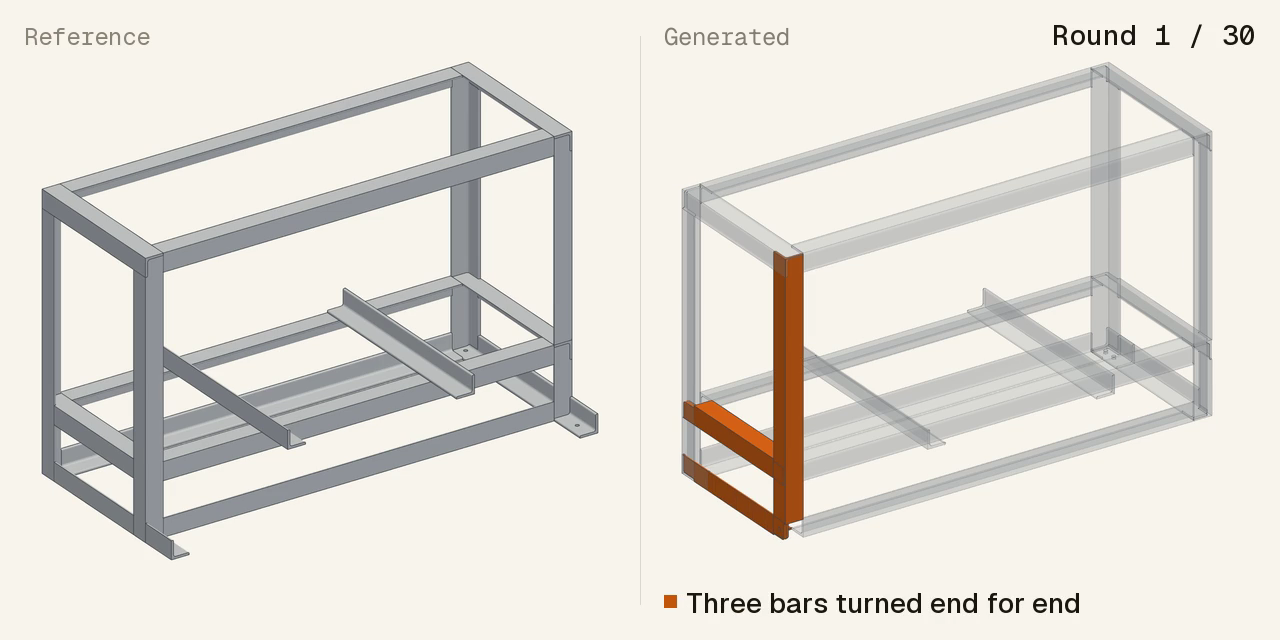
Every model scores lower on assemblies than on single parts from the same kind of input, and mostly not because the parts are wrong: across the assembly cases of GPT-6 Astra, Claude Opus 5.5 and Claude Sonnet 5.5, 83–96% of the part types that score zero have the right shape and sit in the wrong place. On this support frame at low effort, Astra placed every supplied part but turned three angle bars end for end. Higher effort does not remove the problem: on a rotary clamping mechanism at max effort, Astra built both possible positions for 36 jaws, rendered them side by side, and submitted the wrong one, every jaw 22 mm too far out.
No answer, or a hasty one
Some runs lose points before any geometry is scored. At max effort, Claude Sonnet 5.5 submits nothing on 4 of the 12 circuit boards, and Claude Fable 5.1 on 3. At low effort, GPT-6 Astra and Claude Opus 5.5 usually answer parts from views in a round or two, rarely rendering to check (our post on 2D proxies). They score 0.14 and 0.06 at low effort, against 0.59 and 0.57 at max.
No check for shorts and opens
Models find 85–96% of a board's components but fewer of its connections: 80% for GPT-6 Astra and 68% for Claude Opus 5.5 at max effort. Power rails cost the most. On one 101-component board, Astra merged +3.3V, +5V, GND and VDD into one net, and Opus split +5V into 14 nets, which scores the board 0. Neither run ever tested for a short or an open.
The assembly and board answers look right at a glance: the frame has every part, the board nearly every component. What goes wrong is what a glance misses: which way a part faces, which pins share a net. Better CAD agents need checks on placement and connectivity, not just better generation.
How to run
The Public dataset, evaluation harness and scoring code are available on GitHub and Hugging Face. Researchers and model developers can also request access to Core, our 100-case held-out evaluation set, under an evaluation-only agreement and run the benchmark on their own infrastructure.
# Public set: try the harness (scores are not reportable)
tools/run_core.sh --model <provider/model> --set public --effort low

# Core: the 100 cases behind the scores reported here
tools/run_core.sh --model <provider/model> --set coreAppendix
Why Haiku 5.5 is slower at low effort than at medium
| Effort | Mean rounds | Runs using all 30 rounds | No submission | Median time per call | Median output tokens per call | Total time | Mean score |
|---|---|---|---|---|---|---|---|
| low | 22.3 | 63 | 62 | 26 s | 957 | 15.5 h | 0.006 |
| medium | 13.4 | 28 | 28 | 33 s | 1,999 | 12.3 h | 0.026 |
| high | 11.2 | 6 | 6 | 125 s | 8,132 | 41.4 h | 0.081 |
Haiku 5.5 on Core, 100 cases, up to 30 rounds each. Each low-effort call is the fastest and cheapest, but low effort rarely hands in an answer: in 62 of 100 cases it used all 30 rounds and never submitted, and those runs take 13.6 of its 15.5 hours. In the trajectories, the model at low and medium effort treats running its program as handing it in. It waits for a rendered check that the task does not give, then repeats the same program until the rounds run out. A run without a submit scores 0, which is most of low effort's 0.006. Higher effort costs more per call but ends with an answer far more often.
Acknowledgments
We thank Anthropic and OpenAI for their support and for the API credits used to build and evaluate BenchCAD 2.0.
Citation
If you use BenchCAD 2.0, please cite:
@misc{benchcad2_2026,
  title        = {BenchCAD 2.0: Benchmarking Programmatic CAD on Real Engineering Work},
  author       = {{BenchCAD Team}},
  year         = {2026},
  howpublished = {\url{https://benchcad.com/blog/benchcad-2.html}},
  note         = {Blog post}
}
@misc{benchcad2026,
title = {BenchCAD: A Comprehensive, Industry-Standard Benchmark for Programmatic CAD},
author = {Zhang, Haozhe and Liu, Kaichen and Chen, Miaomiao and Li, Lei
and Yang, Shaojie and Peng, Cheng and Chen, Hanjie},
year = {2026},
eprint = {2605.10865},
archivePrefix= {arXiv},
primaryClass = {cs.CV},
url = {https://arxiv.org/abs/2605.10865}
}